How to Stream a Funeral Online
Streaming a funeral online has become a normal, welcome part of saying goodbye. It lets family and friends who can't be there in person — whether abroad, unwell, or unable to travel — still take part in the service as it happens. This guide is a clear, step-by-step walkthrough for anyone organising a funeral stream for the first time.
Who is online streaming for?
- Relatives overseas who can't fly home in time.
- Elderly or unwell family for whom travel is difficult.
- Friends and colleagues in other cities or countries.
- Anyone who later wants to revisit the service through a recording.
What you'll need
Streaming a service is much simpler than it sounds:
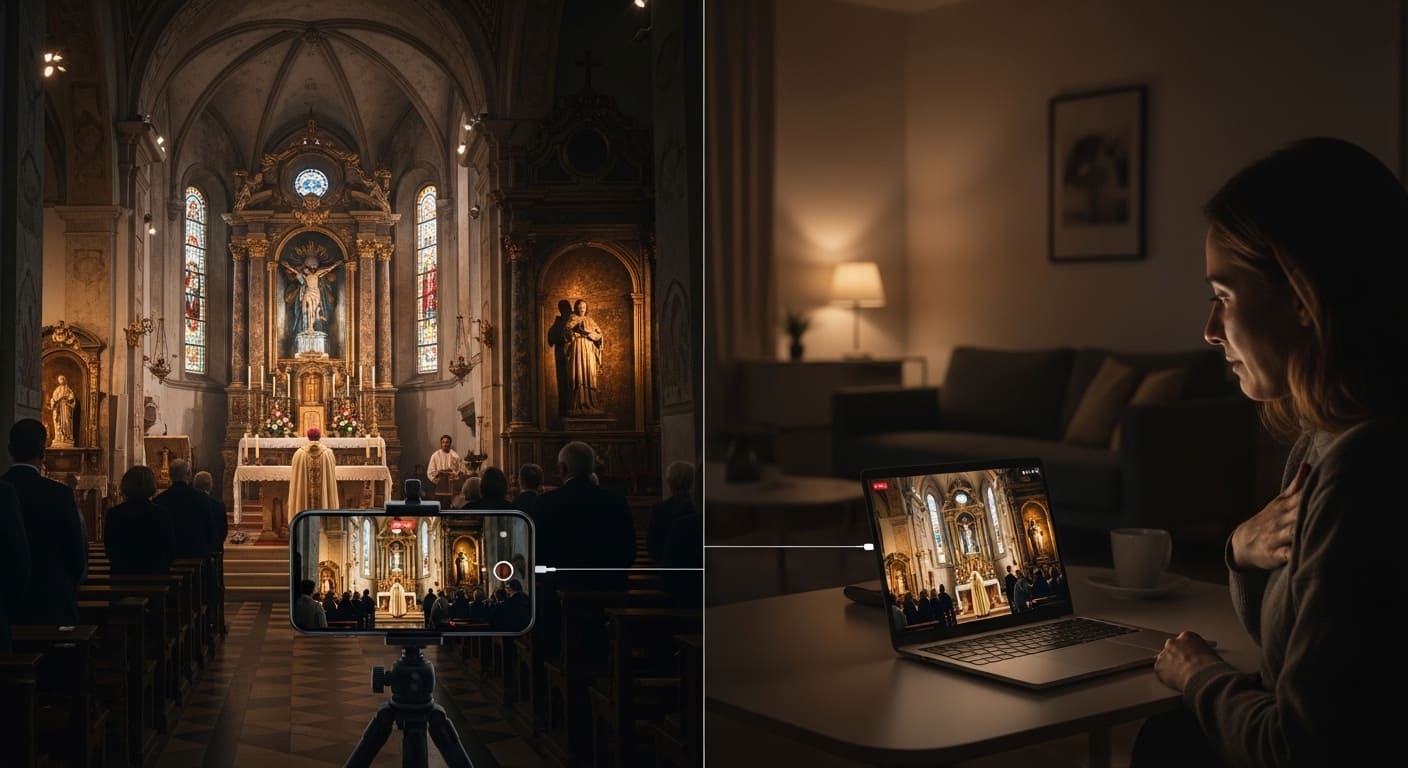
- A smartphone or tablet with a good camera.
- A stable internet connection (mobile data is usually enough).
- A tripod or stand for a steady shot.
- A private streaming link to share only with those you invite.
Step by step
Step 1: Get permission
Ask the venue — church, crematorium, or cemetery — and let the celebrant know. Policies vary, so confirm before the day.
Step 2: Pick a private platform
Choose a link-based, private stream so only invited people can watch. Hosting it on the loved one's memorial page keeps everything in one respectful place.
Step 3: Set up the camera
Mount the phone on a tripod with a steady, wide view of the service. Avoid handheld filming.
Step 4: Test beforehand
Run a quick test to check the picture, sound, and connection strength at the venue.
Step 5: Share the link and time
Send the link ahead of time, including the start time in each viewer's time zone.
Step 6: Save the recording
Keep the recording so anyone who missed it can watch later.
Getting the picture and sound right
- Frame a wide, dignified shot rather than close-ups of mourners.
- Place the device where speech and music carry — audio matters more than picture quality.
- Keep it still on a tripod for a calm, watchable stream.
- Charge the device and, if possible, keep it plugged in.
Doing it with care
Streaming should never intrude on the service. Assign one calm, responsible person to manage the stream so the immediate family can be fully present. A discreet, fixed camera and a private link keep the focus where it belongs — on remembering the person who has died.
What it costs
With Vidalem, funeral streaming starts from around €9.99 per ceremony, hosted on the memorial page with the recording kept afterwards, and some plans include it. That's a straightforward, affordable alternative to a professional webcast crew for most families.
In summary
Streaming a funeral online is now simple enough for any family to do well: a phone, a tripod, a stable connection, and a private link. Done thoughtfully, it lets everyone who loved the person be there for the goodbye — and gives the family a lasting recording to return to. You can set up a memorial and its stream with Vidalem in a few minutes.